
Webhooks vs polling: how the job tells you it is done
Webhooks vs polling: one poll a second is 3,600 GitHub requests an hour per run. A webhook sends an HTTP delivery when a subscribed event occurs.
In this lesson you will learn
- Why two workflow runs polled every second for an hour can exceed GitHub's 5,000 requests an hour, and when they do not
- When a 304 Not Modified reply does not count against the primary rate limit
- How to receive a GitHub webhook: verify the signature, decide from the signed body, dedupe by the run itself, reply 2XX fast
- What the signature does not cover, and what to do about failed deliveries
Builds on Lesson 43: Idempotency keys: you pressed Pay twice 6 min read Next: What your browser really sends in one HTTP request

Drafted with AI assistance, then checked and edited by a human engineer · How we write
The webhooks vs polling difference is direction: polling means asking a server "done yet?" on a timer, and a webhook means the server sends you an HTTP delivery when the work is done, which can fail or arrive twice. Two GitHub workflow runs polled every second for an hour make 7,200 requests, more than the 5,000 an hour an authenticated user usually gets, if all count against that one budget.
Webhooks vs polling: what is the difference?
A GitHub Actions workflow run finishes at a time the caller cannot predict. With polling, the caller sends GET /repos/{owner}/{repo}/actions/runs/{run_id} every few seconds until the status says completed. If every poll succeeds on schedule, the caller learns the result up to one interval after the run ends, plus request and processing time; a failed poll, backoff or a rate-limit pause adds more.
A webhook turns the direction around, the push idea behind a like reaching your friend's phone. You register a URL and pick events, and the server attempts an HTTP POST to that URL when the event happens. For a whole run, subscribe to workflow_run. Its completed delivery fires whether the run succeeded or failed, so the handler reads workflow_run.conclusion. A run can contain several jobs, and each job has its own workflow_job event (webhook events and payloads).
How many polls fit in GitHub's rate limit?
GitHub's rate limits page gives an authenticated user 5,000 requests an hour, and that user's requests share the budget. Requests a GitHub App owned by a GitHub Enterprise Cloud organization makes on a user's behalf get 15,000; installation tokens and the GITHUB_TOKEN in Actions have separate limits.
# polling-arithmetic (arithmetic, not a measurement)
1 poll per second  = 3,600 requests per hour, per run watched
2 runs at once     = 7,200 per hour  > 5,000
1 poll every 10 s  = 360 per hour per run; 13 runs = 4,680, 14 runs = 5,040
assumes: every poll counts, one token, nothing else spending its budget
Pollers also meet secondary limits, which GitHub says can change, including 900 points per minute for a single REST endpoint, and some endpoint point costs are undisclosed.
A correctly authorized conditional request returning 304 does not count against the primary rate limit. GitHub's REST best practices describe it: send the saved etag in if-none-match with a valid Authorization header.
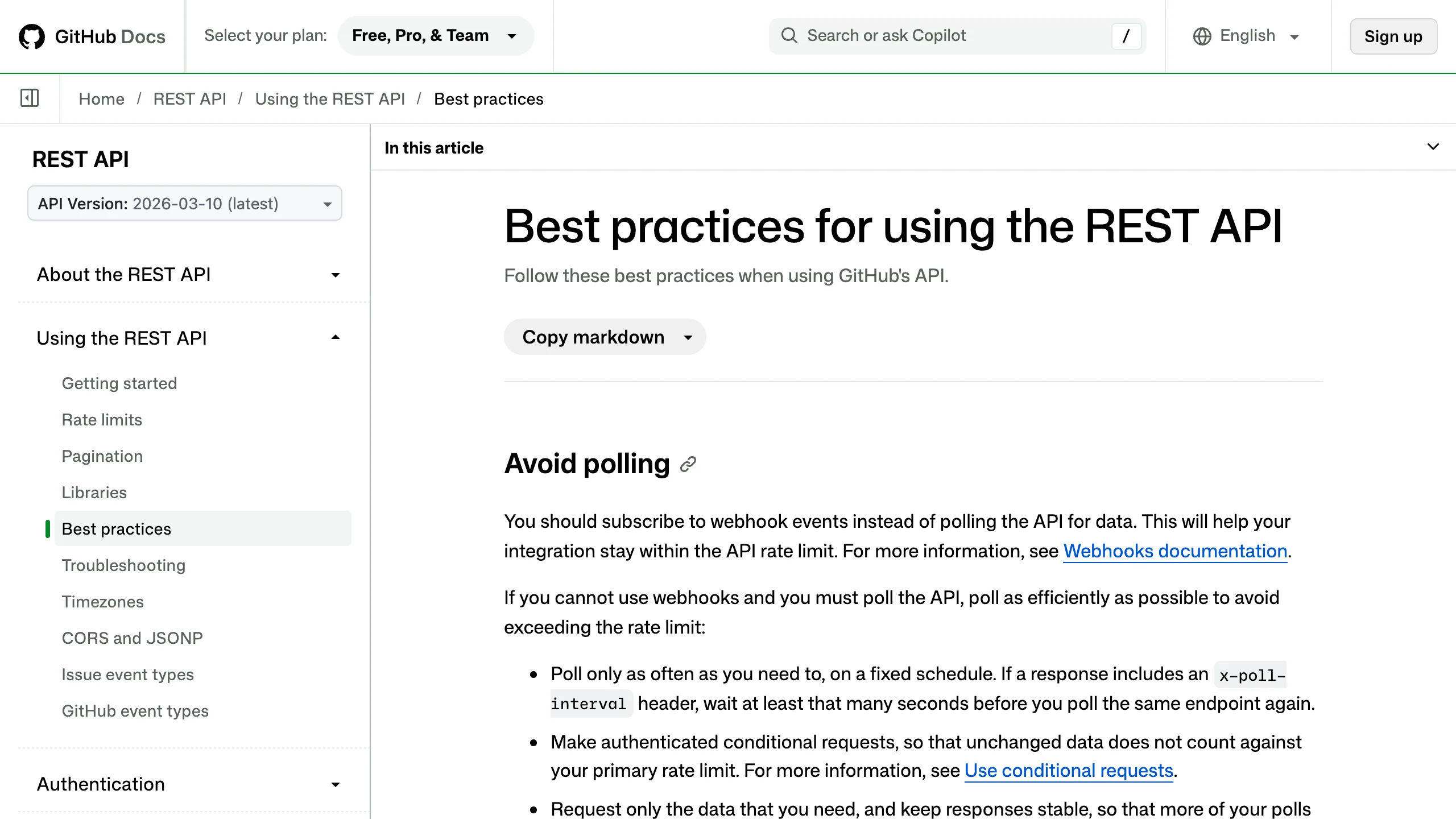
If you must poll, wait at least the seconds in an x-poll-interval header when one is present. A 304 still leaves the delay: the run can finish just after your check and you learn it at the next one.
Our simulation: 200 jobs, polling vs webhook
Our lab script labs/sd-44/compare-polling-vs-webhook-delay.mjs is a seeded simulation (seed 44) on a simulated clock; it does not call GitHub. 200 jobs finish between 2 and 30 seconds, each network hop takes 50 ms plus or minus 20 ms, and the simulation stops at 10 simulated minutes. The retrying rows use a generic sender that retries after 1, 2, 4 and 8 seconds; GitHub itself does not retry. The fallback rows poll each job every 60 seconds, and that poll always succeeds. Median and p95 delay cover only the results learned within the 10 simulated minutes; the unknown ones are left out. "Attempts per job" means status requests the caller sends in the polling rows, and delivery attempts the sender makes toward the caller in the webhook rows, dropped ones included. The directions differ, so the column does not measure the same API budget. Our rerun on 2026-11-19 printed:
| Way | Attempts per job | Replies "not done yet" | Median delay (known results) | p95 delay (known results) | Unknown after 10 minutes (of 200) |
|---|---|---|---|---|---|
| Poll every 1 s | 16.75 | 94% | 0.568 s | 0.978 s | 0 |
| Poll every 10 s | 2.09 | 52% | 4.555 s | 8.851 s | 0 |
| Webhook | 1.00 | 0% | 0.050 s | 0.068 s | 0 |
| Webhook, 5% of calls dropped, no retry | 1.00 | 0% | 0.051 s | 0.069 s | 13 |
| Webhook URL down, sender retries only | 5.00 | 0% | none | none | 200 |
| Webhook URL down, retries plus a 60 s poll per job | 6.00 | 0% | 43.745 s | 56.823 s | 0 |
How to receive a GitHub webhook
GitHub's webhook best practices ask for a 2XX within 10 seconds, or the delivery counts as failed. So verify the signature, commit the delivery to storage that survives the failures you must tolerate (a process crash, a lost node), and only then return 2XX. A separate worker does the work later, the same split that keeps one slow subscriber from holding up a publisher. Use HTTPS and always set a webhook secret.
The X-Hub-Signature-256 HMAC covers the raw body only (validating deliveries). The X-GitHub-Delivery and X-GitHub-Event headers sit outside it, so a captured body and signature can be resent under any delivery ID or event name and still verify. A replay could borrow a later delivery's ID and get that run dropped as a duplicate, or change the event header so a trusting handler answers 2XX without saving the run.
The demo therefore decides from the signed body. A body with action: "completed" and a workflow_run object is saved whatever the event header says; a header that disagrees is logged as an alert. It dedupes on an idempotency key from the same body, workflow_run.id plus run_attempt, since a re-run gets a new attempt. A completed body without a valid attempt number is not given a guessed one, which could merge two attempts; it goes to a quarantine table for the reconciliation job or a person to check. The reply is 2XX after the insert commits, or 500 if storage fails.
The dedupe has limits: a replay is caught only while its key is still in the table, and the worker's side effects must be idempotent, because it can crash after the work and before marking the row done.
The lab file is a teaching demo on Node's built-in SQLite, so "committed" means one disk on one machine, and DatabaseSync blocks the event loop on each commit; production code would use an async driver. It refuses bodies over 1 MB and answers 503 once 50 requests are open.
// excerpt from the lab's github-webhook-receiver.mjs: the decisions that matter
req.on('end', () => {
  const raw = Buffer.concat(chunks);
  if (!signatureOk(raw, req.headers['x-hub-signature-256'])) return res.writeHead(401).end();
  const body = JSON.parse(raw);                       // 400 on bad JSON in the full file
  const run = body.workflow_run;                      // decide from the SIGNED body
  if (body.action !== 'completed' || !run?.id) return res.writeHead(204).end();
  const attempt = run.run_attempt;
  if (!Number.isInteger(attempt) || attempt < 1) {
    park.run(deliveryId, raw.toString('utf8'));       // quarantine, reconcile via the API
    return res.writeHead(202).end('quarantined');      // (500 if this insert fails, in the full file)
  }
  const runKey = `${run.id}:${attempt}`;              // one row per run attempt
  try {
    // INSERT ... ON CONFLICT (run_key) DO NOTHING; commits before we answer
    const { changes } = insert.run(runKey, deliveryId, raw.toString('utf8'));
    res.writeHead(202).end(changes === 1 ? 'saved' : 'duplicate');
  } catch {
    res.writeHead(500).end(); // nothing committed: GitHub records a failure, redeliver later
  }
});
// a separate worker reads unprocessed rows, does the work, then marks each row done
What happens when a webhook delivery fails?
GitHub's page on failed deliveries says GitHub "does not automatically redeliver failed deliveries". Deliveries from the past 3 days can be redelivered: by hand, or with a scheduled script that lists recent deliveries, picks those whose status is not OK and redelivers them through the REST API. Marketplace and Sponsors deliveries have no such endpoints. A redelivery can fail too, so alert after repeated failures.
For long outages, add a slow reconciliation job for the runs you care about (a design we have not tested; our lab only polls each simulated job every 60 seconds). Record each run ID when you start the run or first see it, and every few minutes fetch each open run with GET /repos/{owner}/{repo}/actions/runs/{run_id} until it reports completed. Then keep it on a recheck list for a window you choose, since a re-run raises run_attempt on the same ID. This design checks only recorded runs; finding others needs a webhook, a person or a separate API listing job.
Our take
Polling is fine for a few rare checks, such as a script waiting for one build or a dashboard refreshing every minute. A 1 s poll on one run, if every poll counts for a full hour, uses 72% of the 5,000 budget. With many runs in flight, a tight delay target or a shared token, webhooks remove most of those checks.
The cost moves to the receiver: a signature check, an insert keyed by the run and committed before the 2XX, an idempotent worker, a redelivery script and a reconciliation job. If pending rows pile up faster than the worker drains them, let the queue absorb the burst, as it does for a million likes at once, while the receiver keeps answering within 10 seconds.
FAQ
Is a webhook faster than polling?
A successful webhook can arrive sooner, but it depends on delivery latency and the polling interval. A poll adds up to one interval of waiting, plus request time. In our seeded simulation, one example and not a general rule, polling every 10 s gave a median delay of 4.555 s and a webhook 0.050 s.
Does GitHub retry a failed webhook delivery?
No. GitHub does not automatically redeliver failed deliveries. Redeliver by hand, or run a scheduled script that finds deliveries whose status is not OK and redelivers them through the REST API.
Do 304 Not Modified responses count against the GitHub rate limit?
Not against the primary rate limit, if the conditional request was made with a valid Authorization header and the answer is 304. A poll that returns changed data with a 200 still counts.
This article describes general patterns, GitHub's public documentation (checked 2026-11-19) and our own seeded simulation on a simulated clock. It does not describe any company's private systems. The simulated numbers come from settings we chose and change with them; no real traffic or GitHub API calls were involved.
Frequently asked questions
Is a webhook faster than polling?
A successful webhook can arrive sooner, but it depends on delivery latency and the polling interval. A poll adds up to one interval of waiting, plus request time. In our seeded simulation, one example and not a general rule, polling every 10 s gave a median delay of 4.555 s and a webhook 0.050 s.
Does GitHub retry a failed webhook delivery?
No. GitHub does not automatically redeliver failed deliveries. Redeliver by hand, or run a scheduled script that finds deliveries whose status is not OK and redelivers them through the REST API.
Do 304 Not Modified responses count against the GitHub rate limit?
Not against the primary rate limit, if the conditional request was made with a valid Authorization header and the answer is 304. A poll that returns changed data with a 200 still counts.
Sources
- GitHub Docs: Rate limits for the REST APIdocs.github.com
- GitHub Docs: Best practices for using the REST APIdocs.github.com
- GitHub Docs: Best practices for using webhooksdocs.github.com
- GitHub Docs: Handling failed webhook deliveriesdocs.github.com
- GitHub Docs: Validating webhook deliveriesdocs.github.com
- GitHub Docs: Webhook events and payloads, workflow_rundocs.github.com

Written by a software engineer and system architect with 10+ years of building production web, payment, ticketing and accounting systems in Japan and Nepal. About us