You tap like. How does your friend's phone know a second later?
Your like is saved as an event on a queue. A notification worker decides who should know (usually the post owner). If their app is open, the server pushes it over a live connection; if not, it goes through Apple's APNs or Google's FCM. Many likes are grouped into one notification.
| Step 1 | Like saved as an event on a queue |
|---|---|
| Step 2 | Worker picks receivers (the post owner) and checks settings |
| Online delivery | Long-lived connection such as WebSocket |
| Offline delivery | APNs (iPhone) or FCM (Android) |
| Grouping | 1,000 likes become one notification |
You tap the heart on your friend's song. About a second later, their phone buzzes: "Sita liked your song". There is no magic wire between your two phones. Here is the path that like actually takes.
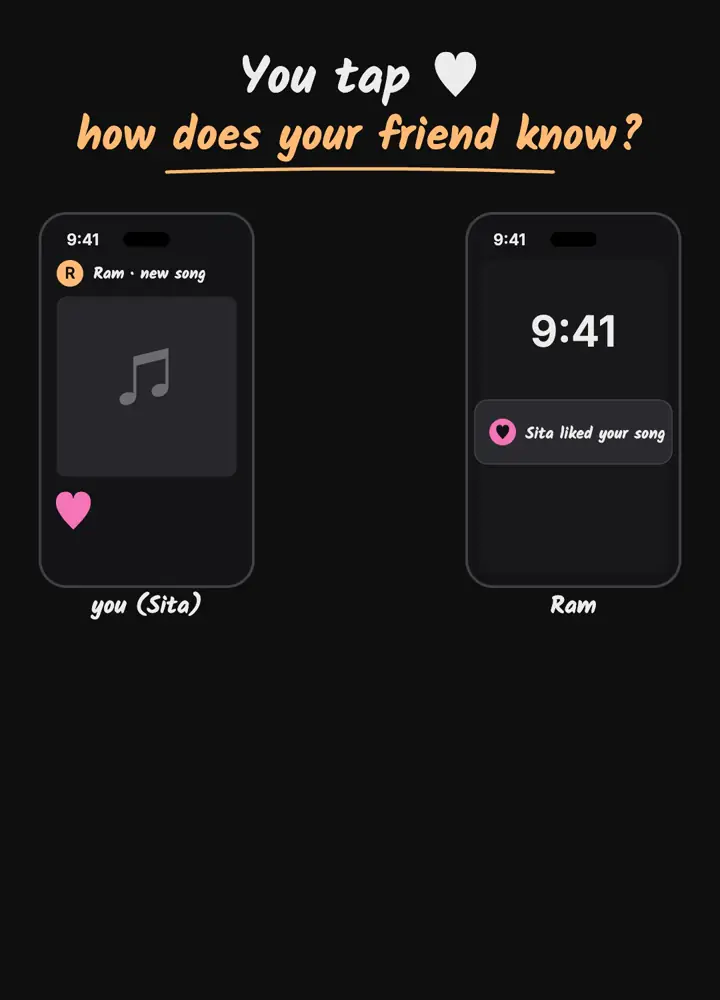
Step 1: the like becomes an event
As in Part 1, your tap is saved as a small event, something like {type: like, post: 42, from: Sita}, and placed on a queue. Saving the like and notifying people are separated on purpose: if the notification system is slow, your like is still saved instantly.
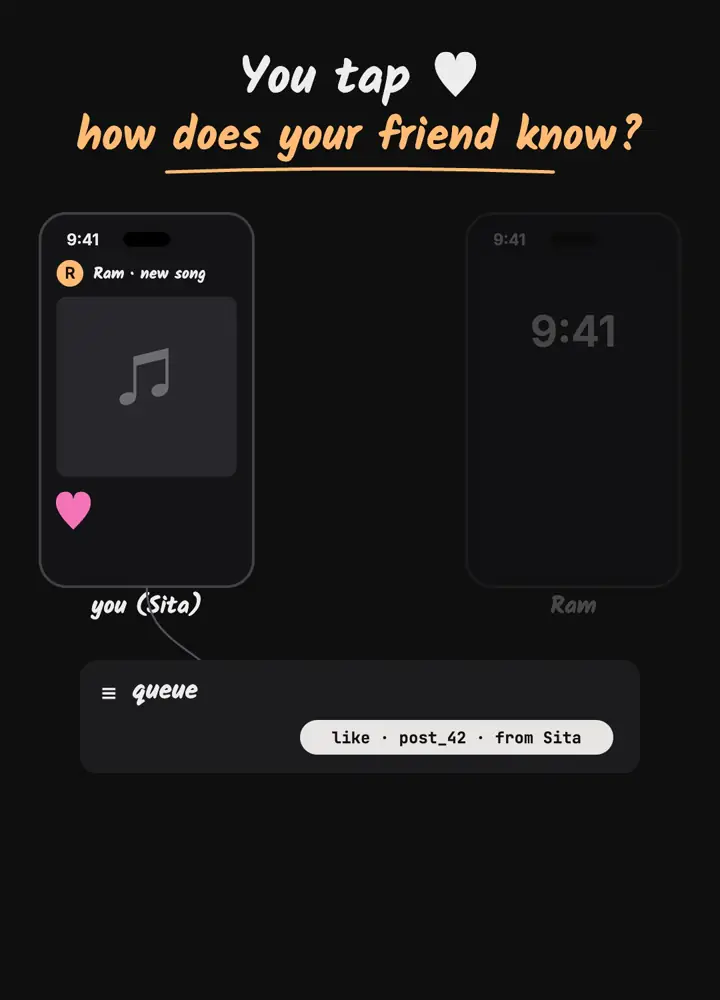
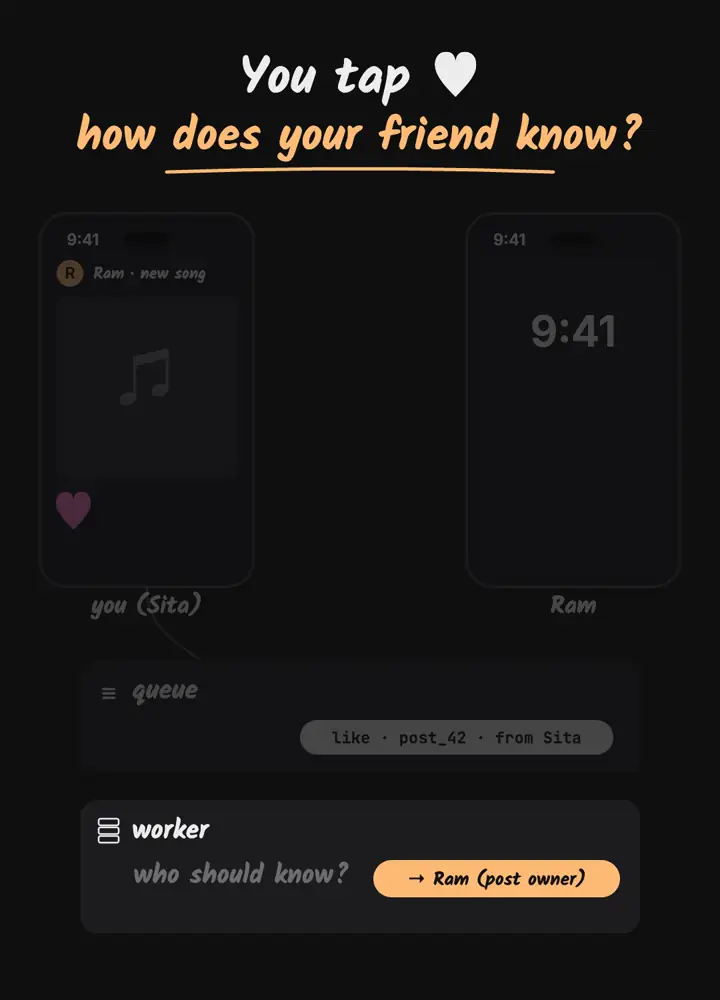
Step 2: a worker decides who should know
A notification worker reads the event and asks one question: who should hear about this? For a like, usually only the owner of the post. For a new post it might be all followers, which is a much bigger job called fan-out. The worker also checks settings: maybe the owner muted likes, or already has a recent notification for this post.
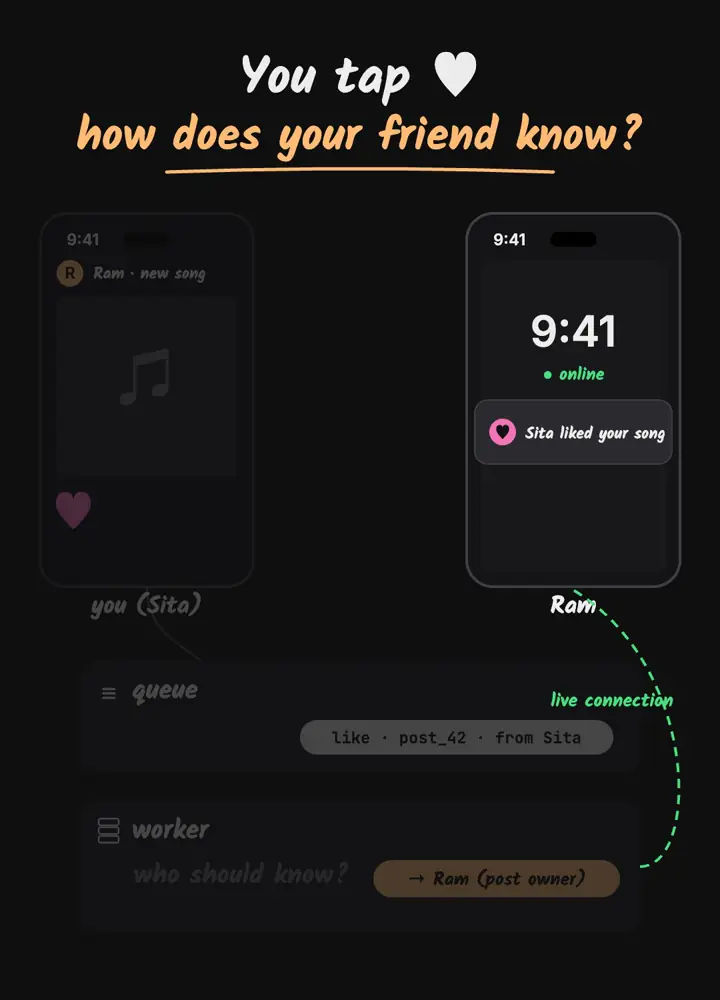
Step 3: online phones get it over a live connection
While an app is open, it keeps a long-lived connection to the server, often a WebSocket or a similar streaming connection. The server remembers which connection belongs to which user. If your friend is online, the notification is pushed down that open connection immediately. That is why in-app alerts feel instant.
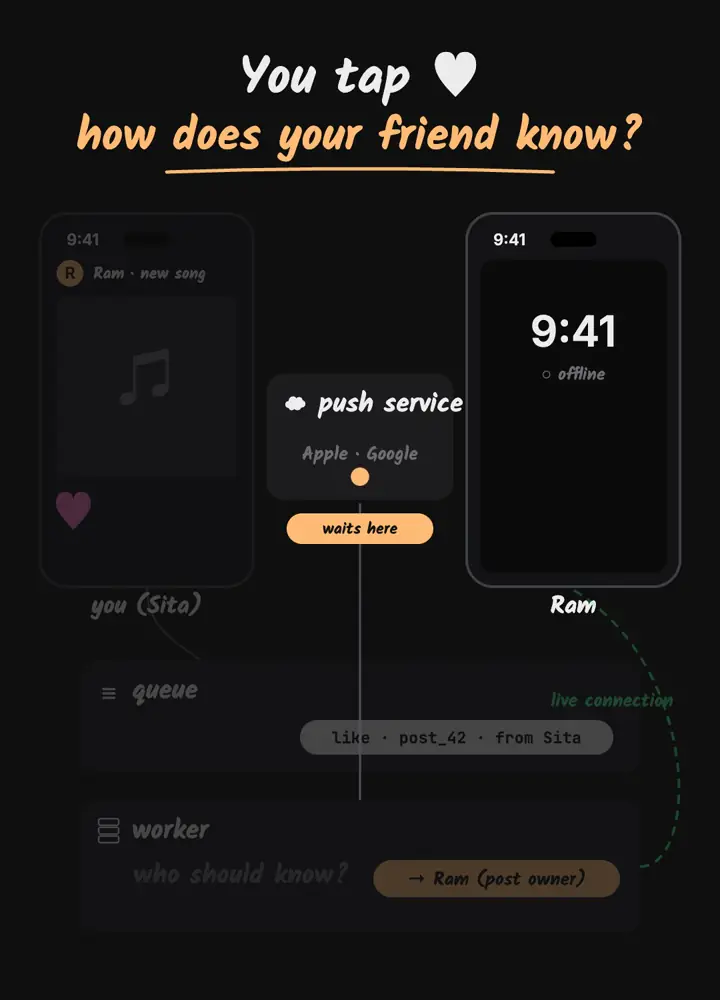
Step 4: offline phones go through Apple or Google
If the app is closed, there is no open connection. Apps cannot keep running in the background forever, so phones rely on the operating system's push services: Apple Push Notification service (APNs) for iPhone and Firebase Cloud Messaging (FCM) for Android. The app's server sends the message to Apple or Google with a device token, and they deliver it to the phone when it is reachable. If the phone is switched off, the message waits there for a limited time.
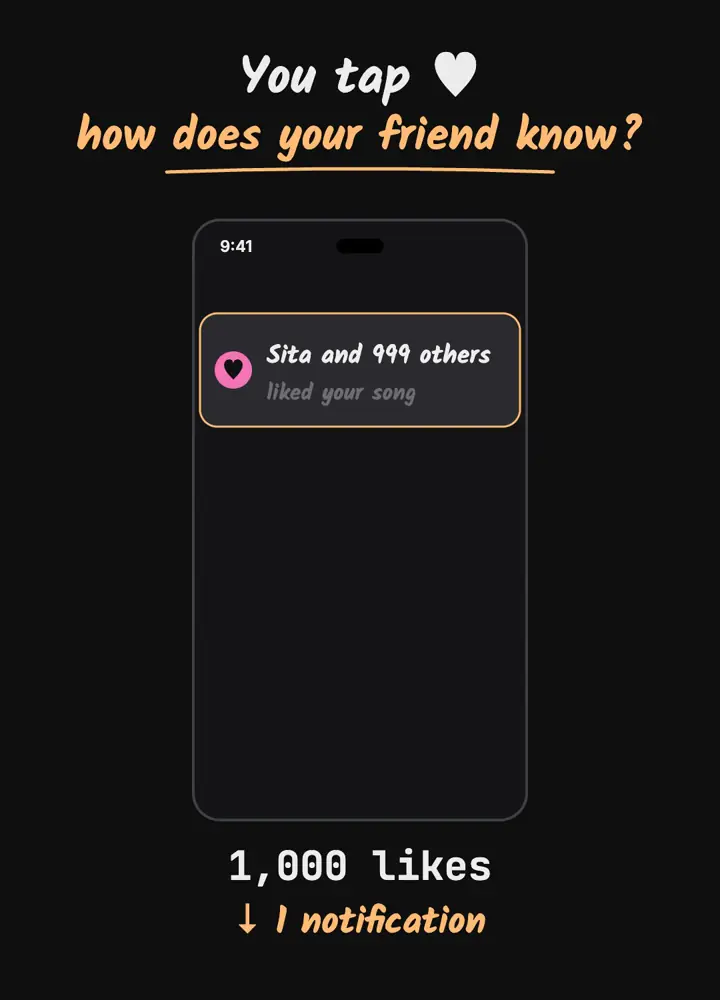
Step 5: 1,000 likes become one notification
If your friend's song goes viral, sending 1,000 separate buzzes would be annoying and expensive. So systems group notifications: within a short window, likes on the same post are merged into one message such as "Sita and 999 others liked your song", and the count is updated instead of sending new alerts.
Summary
- Event + queue: saving the like never waits for notifications.
- Worker: decides who should know (the post owner) and respects settings.
- Online: push through the app's live connection.
- Offline: deliver through APNs or FCM.
- Grouping: many likes, one notification.
A simplified explanation of widely used patterns, not a description of any one company's private systems.
Frequently asked questions
How do push notifications reach a phone when the app is closed?
The app's server sends the message to Apple Push Notification service or Firebase Cloud Messaging with a device token, and they deliver it to the phone.
What is fan-out in notifications?
Sending one event to many receivers, for example notifying all followers about a new post. It is much heavier than notifying one post owner.
Why are notifications grouped?
To avoid spamming the user and to reduce cost: many similar events within a short window are merged into one message with a count.
Written with AI assistance, then checked and edited by a human engineer. Found a mistake? Tell us.