
AI SystemsSystem Design, simply · AI 5
AI can't see a clock. So how did it tell me the time?
A model only sees tokens, so it cannot read a clock. A tool call lets the app read it. Scripted demo: guesses off by 522.7 days, 20/20 right with a tool, +484 ms.
 Video · 60 secondsWatch the short versionSame diagrams and numbers. Tap to play.

Drafted with AI assistance, then checked and edited by a human engineer · How we write
A language model is a function from input tokens to output tokens: it has no clock, no network and no file system, so it cannot know what time it is unless something puts the time into its input. Tool calling is the mechanism that lets the model ask the surrounding app to run code, such as reading a clock, and get the result back as text. Interview version: "How does an LLM app answer questions that need live data, and what does the extra step cost?"
Prerequisites
What one model request contains. Every call to a chat model is stateless: the app sends the instructions, the conversation so far and any extra data, and nothing persists inside the model between calls. The context window article (AI 3) shows what the app resends each turn. This article adds two more kinds of content to that request: tool definitions and tool results.
Tokens and generation. A model writes its output one token at a time; the streaming article (AI 2) explains that loop and its timing. A tool call is a reply whose tokens form a structured request instead of prose.
Remote calls. When one program asks another to run a function and return the result, that is a remote procedure call (RPC): a name, arguments, a result or an error, and a network trip in between. Part 47 of the series covers RPC and gRPC in depth.
Definitions
Tool: a function the app will run on the model's behalf, described by a name, a plain-language description and an argument schema. Some APIs call it a function.
Tool call: structured model output naming one tool and its JSON arguments, instead of a text reply. The model writes it; the app runs it.
Tool result: the message the app sends back after running a tool, tied to the call by an id, holding the output or an error as text.
JSON Schema: a standard vocabulary for describing the shape of JSON data (types, required fields, patterns). Tool APIs use it for arguments.
Agent loop: app code that calls the model, runs the tools it requests, appends the results and repeats until a final reply or a limit.
Training cutoff: the latest date of a model's training data. It is fixed when training ends and says nothing about the date of use.
IANA timezone: a named region such as Asia/Tokyo from the IANA Time Zone Database, which records its UTC offset and daylight saving rules over time.
Why can a model not know the time?
A model's output is computed from two things only: its weights, fixed when training ended, and the tokens in the current request. No hidden register holds the time. If the request does not say what "now" is, the model cannot compute it.
The weights do give a rough sense of the period the training data came from: the training cutoff. But a model is released some time after its cutoff and then used for a long time, so the distance between "the last thing it read about" and "today" is unknown to it and grows every day.
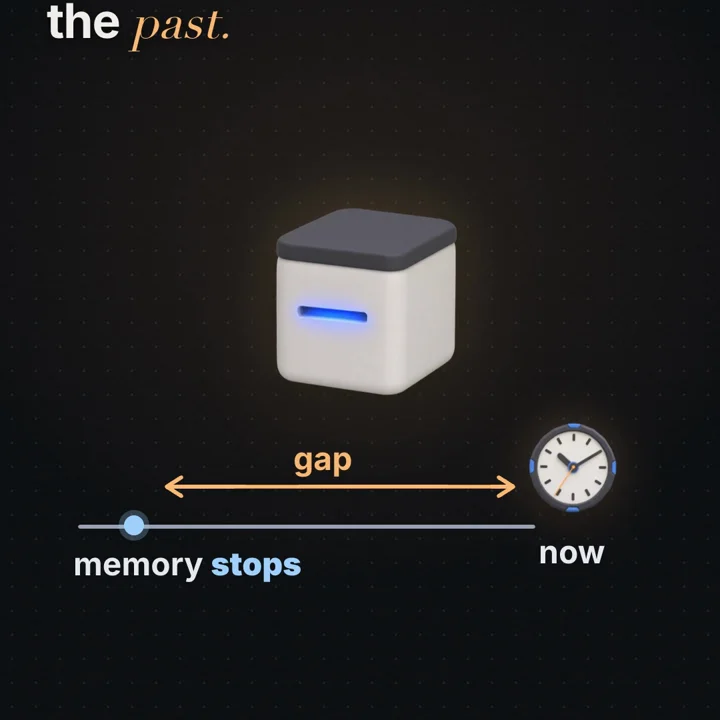
So without help, a model asked "What time is it in Tokyo?" can refuse, guess, or use something in its input. Our lab scripts the first two on purpose. In mode A of labs/ai-5, a scripted toy model with no tool refused in 11 of 20 runs and guessed in 9, always a random time on a fixed date, 2025-06-01, written into the code as an assumption. Against a virtual clock at 2026-11-05 23:00 Tokyo time, the median guess was off by 752,645 minutes = 752,645 / 1,440 = 522.7 days. That number follows entirely from the assumed date; it is not a measurement of any real model. Still, with nothing in the input, being right is luck.
There are two ways to put "now" into the input:
- The app writes it into the prompt. App code reads the server clock and adds
Current date: 2026-11-05 (Thursday). User timezone: Asia/Tokyo.to the system prompt. Zero extra round trips. - The app offers a tool. The model asks for the time, with arguments, when it needs it. One extra round trip per use, but exact at that moment and for any timezone.
Either way, app code reads the clock. The rest of this article covers the second, which generalises to all live data and actions.
How it works: one tool call, step by step
Tool APIs use different field names, but the shape is the same (compare the Anthropic tool use guide and the OpenAI function calling guide). One complete exchange for the Tokyo question:
Step 1: the app sends the question and the tool list. Each tool has a name, a description written for the model, and a JSON Schema for its arguments:
{
  "name": "get_current_time",
  "description": "Returns the current local time for an IANA timezone such as Asia/Tokyo.",
  "input_schema": {
    "type": "object",
    "properties": {
      "timezone": { "type": "string", "description": "IANA timezone name" }
    },
    "required": ["timezone"],
    "additionalProperties": false
  }
}
The provider renders these definitions into the model's input in a format the model was trained on. So definitions cost input tokens on every request, and the description is effectively prompt text: a vague description produces vague tool use.
Step 2: the model emits a tool call instead of a reply. The model was trained to produce a structured block when a tool would help. The API parses it and returns it as data, with a stop reason meaning "I want a tool" (stop_reason: "tool_use" in Anthropic's Messages API, finish_reason: "tool_calls" in OpenAI's Chat Completions API). The call carries a unique id, the tool name and the arguments:
{ "type": "tool_use", "id": "call_01", "name": "get_current_time", "input": { "timezone": "Asia/Tokyo" } }Some APIs give the arguments as an object, others as a JSON string. Either way they are generated tokens that can be malformed or wrong: untrusted input to your system.
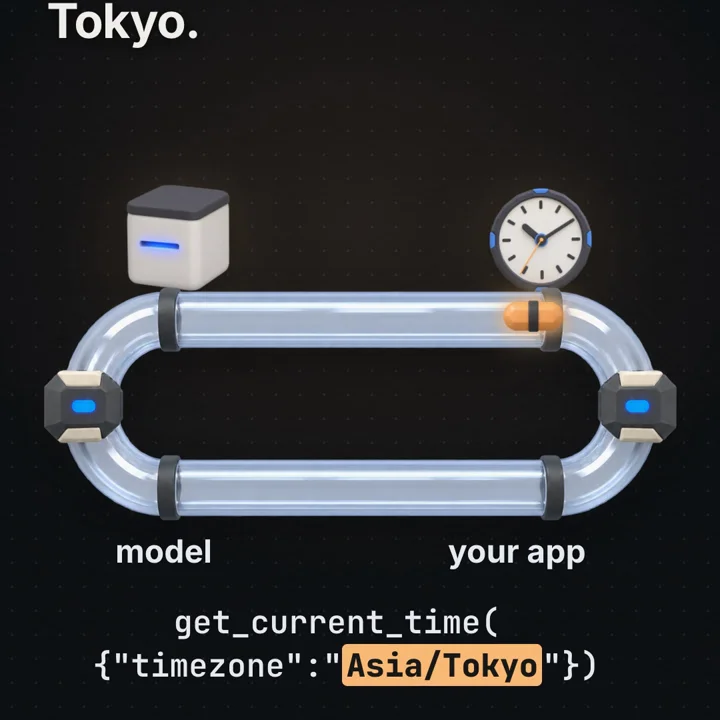
Step 3: the app checks and runs the tool. Ordinary application code looks up the name, checks permissions, validates the arguments, runs the function with a timeout and captures the output or error. In the lab, this is the only place the clock is read:
app runs tool  [sim 1 ms] {"timezone":"Asia/Tokyo","local":"2026-11-05 23:10:15",
                           "utc_offset":"+09:00","utc_iso":"2026-11-05T14:10:15.459Z"}
Step 4: the app sends a new request with the result. It appends the model's tool-call message as returned, plus a tool result message referencing the same id (tool_use_id, tool_call_id or call_id, depending on the API), and calls the model again. The model is stateless, so this follow-up carries everything: instructions, tool definitions, question, tool call and result.
Step 5: the model writes the final reply from the result. The time is now in its input as text: "It's 23:10 on 2026-11-05 in Tokyo right now."
In the lab code the scripted model function receives only messages and never touches clock.now. The model asks, the app's code does the work, the answer returns as text. "The AI used a tool" means exactly that exchange.
What does the app check before it runs a tool?
The model's output decides which function runs with which arguments, so a tool call is an entry point into your system, like an HTTP request from the internet. Anything that influences the model's output (the user, a web page it read, a document it summarised) influences the call. So the app checks, in order:
- Is the tool known? Look the name up in a fixed registry. Never map a model-written string to an arbitrary function or shell command.
- Is this caller allowed to use it? An allow-list per user, session or feature. Filter the tools you offer, and check again at execution time, because the model can name a tool that was not offered.
- Are the arguments valid? Parse the JSON and validate against the schema: types, required fields, no unknown fields, patterns, ranges. Then validate meaning, which a schema cannot express: is
Asia/Tokyoa real IANA zone, is this path inside the user's folder, does this account belong to this user. - Does it need a human? Read-only tools such as a clock can run automatically. Side effects (email, deleting files, moving money) need explicit confirmation showing the exact arguments, and idempotency so a repeat does no extra harm.
- Within limits? Per-tool rate limits, a timeout per call, and a cap on result size, since the result returns to the context window as paid input tokens.
Schema-constrained generation, where offered, removes malformed JSON, not wrong values or unauthorised intent.
What is the agent loop, and when does it stop?
Step 4 is a loop in disguise: after a result, the model may ask for another tool (look up the user's city, then the time there). The app continues until the model replies without a tool call:
messages = [system, user]
for step in 1..MAX_STEPS:
    reply = model(messages, tools)
    messages += reply
    if reply has no tool calls: return reply.text
    for each call in reply.tool_calls (in parallel when independent):
        result = check_and_run(call)          # errors become results too
        messages += tool_result(call.id, result)
stop: "gave up after MAX_STEPS model calls"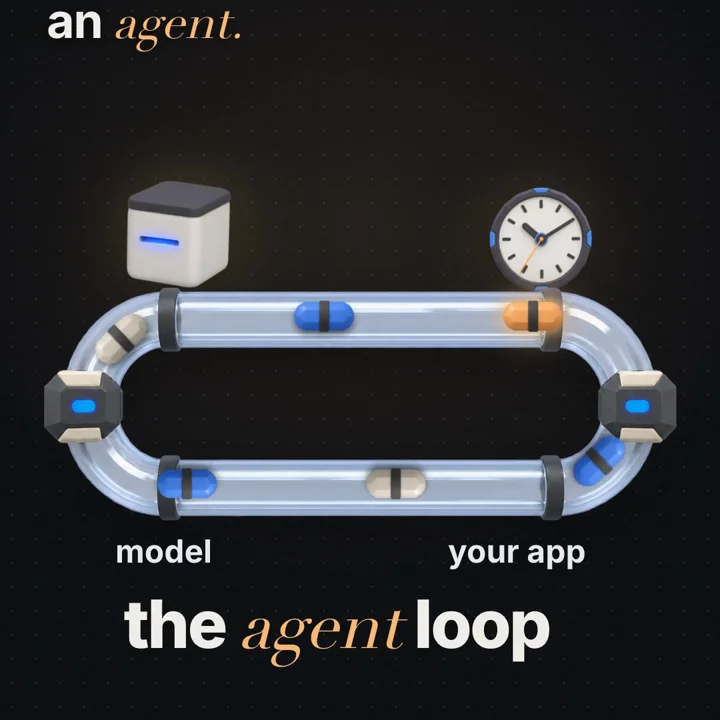
Nothing in the model guarantees it stops asking, so the loop needs explicit stop conditions:
- Maximum steps. A hard cap on model calls per request. Without it, a model that keeps requesting a tool (or a tool that keeps failing) burns tokens until something else breaks.
- Budget. A cap on tokens, tool time or wall-clock time. Each turn resends the growing conversation, so total input tokens across one request grow roughly with the square of the number of turns when results are large.
- Repeat detection. The same tool with the same arguments twice in a row, after a success, signals a problem: send a short note to the model or stop.
- A clear end state. On a limit, return a defined "could not finish" outcome and log the full trace.
Most APIs also offer a tool choice setting (auto, force a tool, forbid tools). Leaving the choice to the model is what makes the loop an agent rather than a script.
What does a tool call cost in latency?
A tool step adds one full model round trip, not just the tool's own time. For a request with k sequential tool steps:
model calls  = k + 1
total time  ≈ Σ (model call i)  +  Σ (tool time in step j)

with parallel calls inside one step:
tool time of a step = max(tool times), not the sum
The lab records this inside each tool-using run rather than subtracting medians of separate samples. All of it is simulated with assumed ranges: first model call 400 to 1,000 ms, follow-up 300 to 800 ms, tool 1 to 5 ms. Across 20 tool-mode runs the median added cost was 484 simulated ms: median tool time 2 ms, median follow-up call 482 ms. The tool is almost free; the second model call is the cost.
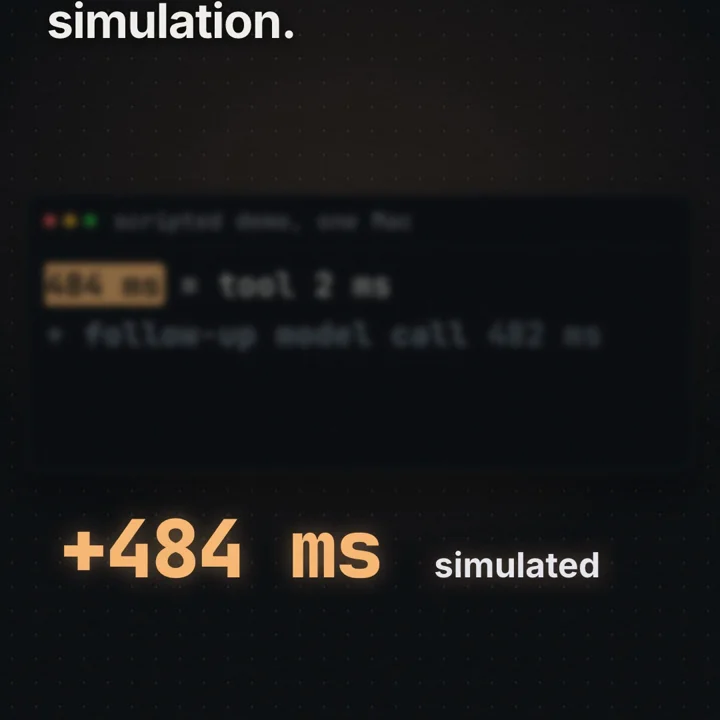
The follow-up call is also heavier in tokens: it carries everything the first did plus the call and the result. So a tool returning a 50 KB JSON document when the model needs one field is a latency and cost bug. As the latency vs throughput article shows, more parallel capacity does not shorten a chain of dependent steps.
Ways to reduce the cost:
- No tool for stable facts. Today's date and the user's timezone change once a day; put them in the system prompt. Place them after the large stable part (instructions, tool definitions), at day granularity, so provider-side prefix caching, where offered, still reuses the stable prefix. A timestamp with seconds at the top makes every prefix unique.
- Parallel tool calls. Tokyo and London times can be requested in one turn and run concurrently: one step instead of two, saving a model round trip.
- Cache tool results that are safe to reuse briefly (an exchange rate for 60 seconds). Never cache the clock or side effects.
- Shrink tool results to the fields the model needs.
- Stream the final reply (see the streaming article) and show "checking the time" during the tool step.
Why a tool call is just RPC
Strip away the model and the exchange is familiar: a function name and serialized arguments go to something that runs the function elsewhere and returns a result or an error. That is a remote procedure call. The only new part is that a model decides when to call and with what arguments.
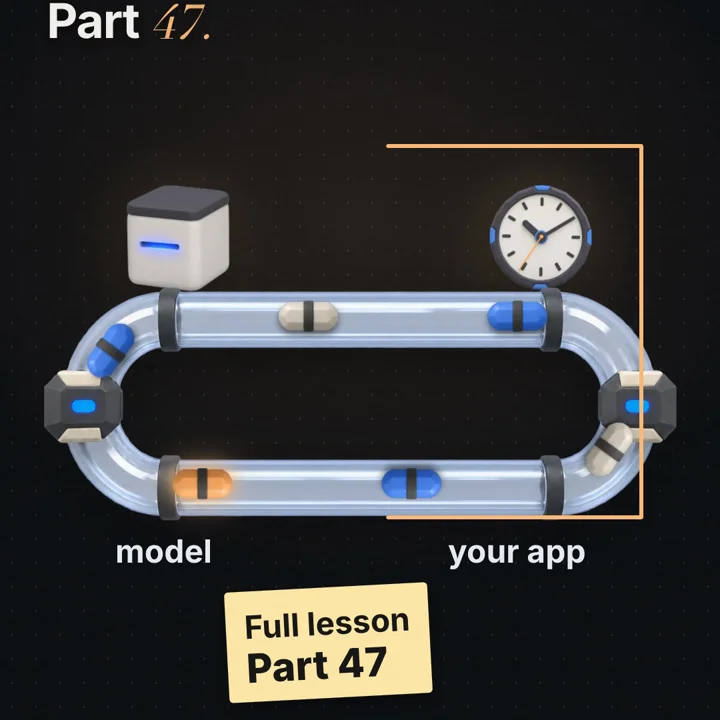
The mapping is close enough that RPC lessons transfer directly:
| RPC concept (gRPC terms) | Tool calling equivalent |
|---|---|
Service definition in an IDL (.proto) | Tool definition with a JSON Schema |
| Method name + serialized request message | Tool name + JSON arguments |
| Request id / correlation id | Tool call id matched by the tool result |
| Deadline on the call | Per-tool timeout set by the app |
| Status code + error details | Error returned as a tool result (some APIs have an is_error flag) |
| Retries with backoff | The model, or the app, calling again after an error |
| Idempotent methods | Read-only tools are safe to repeat; side-effect tools need idempotency keys |
Deadlines. gRPC asks every caller to set a deadline, because a call without one can wait forever holding resources (see the gRPC deadlines guide). A fetch tool hanging for 60 seconds stalls the whole agent loop for 60 seconds. Give each tool a timeout and the request an overall budget.
Errors as results. An RPC client turns an error into an exception. In an agent loop it is usually better to return the error to the model in plain words ("unknown timezone Mars/Olympus_Mons; use an IANA name like Asia/Tokyo"), so it can fix the argument, try another tool or explain. Keep errors the model cannot fix (authentication failures, an exhausted budget) on the app side.
Idempotency and retries. A model may repeat a call after a timeout, and the app may retry a step. For get_current_time that is harmless; for send_payment it is a double charge. Treat side-effecting tools as non-idempotent RPCs: one idempotency key per intended action (the tool call id is a natural one), and reject a second execution with the same key.
Availability. Every tool is a dependency in series with the model: a request needing both succeeds only when both are up, the product rule from two servers in a row.
Worked example
The video's question, "What time is it right now in Tokyo?", runs 20 times without tools and 20 times with get_current_time. All behaviour comes from a scripted toy model with assumed rates (refuse 45% without a tool, skip the tool 5%, timezone slip 5%), a virtual clock from 2026-11-05 23:00 Tokyo time, and simulated latency.
Mode A, no tool (scripted)
  refusals                          11 / 20
  guesses                            9 / 20, all on the assumed date 2025-06-01
  median guess error                 752,645 min / 1,440 = 522.7 days
                                     (2025-06-01 to 2026-11-05 is 522 days, plus the time-of-day gap)

Mode B, with get_current_time (scripted)
  called the tool                   20 / 20
  within 1 minute of virtual clock  20 / 20
  median error                       29.1 s
    why not 0: the reply says "23:10", rounding 23:10:15 down to the minute,
    and the virtual clock moves on during the follow-up call, so the error
    is (seconds dropped) + (follow-up time), somewhere between 0 and about 61 s

Added cost per tool run (simulated, median of per-run values)
  tool                               2 ms
  follow-up model call             482 ms
  total added                      484 ms   (median of the per-run sums)
The printed trace: the first model call (992 simulated ms) returns get_current_time({"timezone":"Asia/Tokyo"}), the app runs it in 1 simulated ms and gets 2026-11-05 23:10:15, and the follow-up call (585 simulated ms) writes "It's 23:10 on 2026-11-05 in Tokyo right now."
The assumed 5% timezone slip did not fire in these 20 runs with this seed. Had it fired, the scripted model would have read the utc_iso field (14:10) as Tokyo time: an error of exactly 9 hours = 540 minutes, since Tokyo is UTC+9 all year.
Code
A complete agent loop in one file: a tool registry with JSON Schema arguments, an allow-list, a small validator, per-tool timeouts, parallel calls, errors returned as results and a maximum-steps guard. The model is a fake that reads only messages, so no API key is needed. Node.js 18 or newer, no packages.
// agent_loop.mjs: a tool-calling agent loop with a fake model. Node 18+, no packages, no network.
// The fake model only reads messages. Only the app's tool code reads the clock.

const sleep = (ms) => new Promise((r) => setTimeout(r, ms));
const MODEL_MS = 150;        // pretend one model round trip takes 150 ms (an assumption)
const TOOL_TIMEOUT_MS = 500; // the app gives each tool call at most 500 ms
const MAX_STEPS = 4;         // the app stops the loop after 4 model calls

// 1. Tool definitions: a name, a description and a JSON Schema for the arguments.
const TOOLS = {
  get_current_time: {
    description: 'Current local date and time for one IANA timezone, e.g. Asia/Tokyo.',
    parameters: {
      type: 'object',
      properties: { timezone: { type: 'string', pattern: '^[A-Za-z_]+(/[A-Za-z_]+)+$' } },
      required: ['timezone'],
      additionalProperties: false,
    },
    run: async ({ timezone }) => {
      const now = new Date();               // the only line in this file that reads a clock
      const local = new Intl.DateTimeFormat('sv-SE', {
        timeZone: timezone, dateStyle: 'short', timeStyle: 'medium',
      }).format(now);                       // throws RangeError for an unknown timezone
      return { timezone, local, utc_iso: now.toISOString() };
    },
  },
  delete_file: {
    description: 'Deletes a file.',
    parameters: { type: 'object', properties: { path: { type: 'string' } }, required: ['path'] },
    run: async () => ({ deleted: true }),   // never reached: not on the allow-list
  },
};
const ALLOWED = new Set(['get_current_time']); // what this user may run, checked by the app

// 2. A tiny validator for the schema subset used above.
function validate(schema, args) {
  if (typeof args !== 'object' || args === null) return 'arguments must be an object';
  for (const k of schema.required ?? []) if (!(k in args)) return `missing ${k}`;
  for (const [k, v] of Object.entries(args)) {
    const p = schema.properties?.[k];
    if (!p) { if (schema.additionalProperties === false) return `unknown field ${k}`; continue; }
    if (p.type === 'string' && typeof v !== 'string') return `${k} must be a string`;
    if (p.pattern && !new RegExp(p.pattern).test(v)) return `${k} does not match ${p.pattern}`;
  }
  return null;
}

// 3. The fake model: it sees messages and tool names, never the clock.
let nextId = 1;
async function fakeModel(messages, toolNames) {
  await sleep(MODEL_MS);
  const user = messages[0].content;
  const results = messages.filter((m) => m.role === 'tool').map((m) => JSON.parse(m.content));
  const call = (name, args) => ({ id: `call_${nextId++}`, name, arguments: JSON.stringify(args) });
  if (user.includes('loop forever')) return { role: 'assistant', tool_calls: [call('get_current_time', { timezone: 'Asia/Tokyo' })] };
  if (results.length === 0) {
    if (user.includes('delete')) return { role: 'assistant', tool_calls: [call('delete_file', { path: '/tmp/x' })] };
    const zones = [...user.matchAll(/[A-Z][a-z]+\/[A-Za-z_]+/g)].map((m) => m[0]);
    if (zones.length && toolNames.includes('get_current_time')) {
      return { role: 'assistant', tool_calls: zones.map((tz) => call('get_current_time', { timezone: tz })) };
    }
    return { role: 'assistant', content: 'I have no clock, so I cannot know the current time.' };
  }
  const lines = results.map((r) => (r.error ? `error: ${r.error}` : `${r.timezone} ${r.local.slice(11, 16)}`));
  return { role: 'assistant', content: lines.join(' · ') };
}

// 4. The app runs one tool call: allow-list, parse, validate, run with a timeout.
async function runTool(tc) {
  const tool = TOOLS[tc.name];
  if (!tool) return { error: `unknown tool ${tc.name}` };
  if (!ALLOWED.has(tc.name)) return { error: `tool ${tc.name} is not allowed here` };
  let args;
  try { args = JSON.parse(tc.arguments); } catch { return { error: 'arguments are not valid JSON' }; }
  const bad = validate(tool.parameters, args);
  if (bad) return { error: `invalid arguments: ${bad}` };
  const timeout = new Promise((r) => setTimeout(() => r({ error: 'tool timed out' }), TOOL_TIMEOUT_MS));
  try { return await Promise.race([tool.run(args), timeout]); }
  catch (e) { return { error: `${e.name}: ${e.message}` }; } // errors go back to the model as results
}

// 5. The agent loop.
async function agent(prompt) {
  const t0 = performance.now();
  const ms = () => `${Math.round(performance.now() - t0)} ms`.padStart(7);
  const messages = [{ role: 'user', content: prompt }];
  console.log(`\n> ${prompt}`);
  for (let step = 1; step <= MAX_STEPS; step++) {
    const out = await fakeModel(messages, Object.keys(TOOLS));
    messages.push(out);
    if (!out.tool_calls) { console.log(`${ms()}  reply: ${out.content}  (${step} model calls)`); return; }
    for (const tc of out.tool_calls) console.log(`${ms()}  model asks: ${tc.name}(${tc.arguments})`);
    const results = await Promise.all(out.tool_calls.map(runTool)); // parallel tool calls
    out.tool_calls.forEach((tc, i) => {
      console.log(`${ms()}  app returns: ${JSON.stringify(results[i])}`);
      messages.push({ role: 'tool', tool_call_id: tc.id, content: JSON.stringify(results[i]) });
    });
  }
  console.log(`${ms()}  stopped: ${MAX_STEPS} model calls without a final reply`);
}

await agent('What time is it?');
await agent('What time is it in Asia/Tokyo?');
await agent('Time in Asia/Tokyo and Europe/London?');
await agent('What time is it in Mars/Olympus_Mons?');
await agent('Please delete my temp file.');
await agent('Asia/Tokyo, loop forever');
node agent_loop.mjsWhat to observe (timings from one run on our Mac; the 150 ms model delay is an assumption):
- "What time is it?" No timezone, so the fake model answers from nothing: one model call, about 150 ms.
- "...in Asia/Tokyo?" Two model calls, about 300 ms. The tool takes about a millisecond; the second model call is the cost. The
localandutc_isofields differ by exactly 9 hours. - "...Tokyo and Europe/London?" Two tool calls in one step via
Promise.all: still about 300 ms, not 450 ms. - "Mars/Olympus_Mons" passes the schema pattern but
Intl.DateTimeFormatthrowsRangeError, which returns as a tool result. Schema and semantic validation are different layers. - "delete my temp file"
delete_fileexists but is not on the allow-list; the app refuses before running anything. - "loop forever" The loop stops after 4 model calls, about 600 ms, with a defined message.
The article's numbers come from our lab script (labs/ai-5/run.mjs in our public lab repository). It is seeded on a virtual clock, so every run prints the same traces, summary rows and RESULT line; the inputs are listed in the worked example above.
Failure modes and edge cases
Timezone slip. The tool returns a UTC timestamp and a local time, and the model reports the wrong one as local (an assumed 5% in the lab; plausible whenever a result has similar-looking fields). Detect it with tests that compare the reply's hour with the tool's local field. Fix it at the source: return only what is needed, name fields unambiguously (local_time_tokyo, not time), include the offset (RFC 3339, 2026-11-05T23:10:15+09:00), or return a ready-to-say string.
Daylight saving and fixed offsets. A hard-coded +9 works for Tokyo all year and fails for Europe/London, which switches between UTC+0 and UTC+1. Convert with the IANA database (Intl, the OS zoneinfo or a library), never a stored offset, and resolve ambiguous input such as "IST", which names more than one zone.
Stale date in a long session. A date injected once at session start is wrong after midnight. Inject it per request.
The model skips the tool and answers from its weights (an assumed 5% in the lab). If an answer must come from a tool, force tool choice for that step, or check in code that the reply's facts appear in a tool result.
Invented tools and fields. The registry lookup and additionalProperties: false catch them; log them, since a rising rate often means a confusing description.
Hanging tools. Per-tool timeouts and an overall deadline keep the loop moving. Promise.race in the example stops waiting but does not cancel the work; real tools should accept an AbortSignal.
Runaway loops. Repeated or oscillating calls multiply cost. Max steps, a token budget, repeat detection and a per-request trace (each call, arguments, timings) make them visible.
Untrusted text steering tools. A tool result such as a web page can contain instructions the model follows next turn. Treat results as data, keep permissions tied to the user, and confirm side effects. The next part of the series is about this failure.
Trade-offs
| Option | Good for | Costs you | Use when |
|---|---|---|---|
| Date and timezone in the system prompt | Zero extra round trips, every answer knows "today" | A few tokens per request; stale within a long session if injected once; can break prefix caching if placed early with seconds | Date-level questions, scheduling hints, "this week" reasoning |
| A get_current_time tool | Exact time at the moment of use, any timezone | One extra model round trip per use (484 ms median in our simulation), more tokens in the follow-up | Exact times, other cities, long sessions |
| Both | Cheap default with exact fallback | Two sources that can disagree if the prompt date is stale | General assistants |
| Parallel tool calls | Independent lookups in one step | More concurrent load on tools; harder ordering and error handling | Several independent reads in one question |
| Fixed workflow (app calls tools, no model choice) | Predictable, testable, minimal latency | No flexibility; new questions need new code | A known sequence, such as always fetching the account before answering |
| Open agent loop | Handles questions you did not plan for | Variable latency and cost, needs limits, permissions and tracing | Open-ended tasks with many possible tools |
Common mistakes
In an interview
- Clarify: what live data or actions are needed, read-only or with side effects, and what may this user do?
- Assumptions: a model round trip and a tool time (say 600 ms and 20 ms) and tool steps per question.
- Structure: client, app server running the agent loop, model API, tool services; mark where permissions, validation and timeouts sit.
- Deep dive: schema definitions, tool call with an id, app-side checks and execution, tool result, follow-up call; model calls = steps + 1; stop conditions.
- Trade-offs: prompt-injected facts vs tools, parallel calls, caching, fixed workflow vs open loop, confirmation for side effects.
- Wrap up: metrics (steps per request, tool error rate, p95 per step, limit hits) and a trace per request.
A model only computes over the tokens in its request, so it cannot read a clock or a database. The app gives it tools, each with a name, a description and a JSON Schema for its arguments. When a tool would help, the model emits a tool call with an id, a name and JSON arguments. The app looks the tool up in a fixed registry, checks the user may use it, validates the arguments, runs it with a timeout and returns the output or error as a tool result tied to that id. Then it calls the model again with the whole conversation, until the model replies without a tool call or a step limit is hit. That loop is the agent. Each tool step costs a full model round trip, so I put stable facts like today's date in the prompt, allow parallel calls, keep results small, and treat side-effecting tools like non-idempotent RPCs with confirmation and idempotency keys.
Practice
BeginnerWhere does the model's knowledge of the current time come from in a tool-calling app?
From the app's code, which reads a clock before the request (date in the prompt) or inside a requested tool. The model reads the result as text.
BeginnerWhat is the difference between a training cutoff and today's date?
The cutoff is where training data ends, fixed in the weights. Today's date can be months or years later and is unknown unless the request contains it.
IntermediateA question needs 3 sequential tool steps. How many model calls happen, and what dominates latency?
4 model calls (steps + 1). With tools that take milliseconds, the model round trips dominate: in our simulation one tool step added a median 484 ms, of which the tool was 2 ms.
IntermediateThe user asks for the time in Tokyo and London. How do you avoid two extra round trips?
Parallel tool calls: both requested in one turn and run concurrently, so one tool step and one follow-up call.
IntermediateThe model passes timezone "Mars/Olympus_Mons", which matches your schema pattern. What happens and what should happen?
The schema accepts it; the IANA lookup fails. Return a clear error as the tool result ("unknown timezone, use a name like Asia/Tokyo") so the model can correct itself.
AdvancedA tool returns utc_iso and local fields, and replies sometimes give Tokyo time 9 hours early. Diagnose and fix.
The model is reading the UTC field as local time (the lab's timezone slip; Tokyo is UTC+9, so the error is exactly 540 minutes). Return only the local value with its offset under an unambiguous name, and test the reply's hour against the result.
AdvancedWhy should a send_payment tool be treated like a non-idempotent RPC?
A repeat after a timeout would pay twice. Use an idempotency key per intended action (such as the tool call id), reject duplicates, and require confirmation.
AdvancedWhere do you put today's date in the prompt, and why does position matter?
After the large stable prefix (instructions, tool definitions), at day granularity. Provider-side prefix caching, where offered, reuses identical prompt prefixes; a timestamp with seconds at the top makes every prefix unique and defeats it.
Cheat sheet
| Term or formula | Meaning |
|---|---|
| Tool | A function the app will run for the model: name, description, JSON Schema for arguments |
| Tool call | Model output naming a tool with JSON arguments and an id; the app runs it |
| Tool result | Output or error sent back to the model, tied to the call id |
| Agent loop | Call model, run requested tools, append results, repeat until a reply or a limit |
| Model calls = k + 1 | k sequential tool steps need one more model call than steps |
| Step time = max(parallel tools) | Parallel calls in one step cost the slowest tool, not the sum |
| Training cutoff | Where the model's training data ends; not today's date |
| IANA timezone | Named zone such as Asia/Tokyo with full offset and daylight saving history |
| RFC 3339 timestamp | 2026-11-05T23:10:15+09:00: date, time and offset in one string |
| Before running a tool | Known tool, allowed for this caller, valid arguments, confirmation if side effects, within limits |
| Our lab (scripted, simulated) | No tool: 11/20 refusals, guesses off 522.7 days (assumed date). Tool: 20/20 within 1 min, median 29.1 s, +484 ms |
Further reading
- Anthropic, Tool use with Claude: tool definitions, tool use and tool result blocks, tool choice and parallel tool use, with request examples.
- OpenAI, Function calling: the same flow in another API, including tool call ids, strict schema mode and several calls per turn.
- JSON Schema: the schema language for tool arguments, including
required,patternandadditionalProperties. - gRPC, Introduction: service definitions, stubs and the RPC model tool calling resembles.
- gRPC, Deadlines: why every remote call needs a deadline; the same reasoning applies to tool timeouts.
- IANA Time Zone Database: zone names and daylight saving rules used by operating systems and
Intl. - RFC 3339: the timestamp format with an explicit offset.
Next in the series: a web page hides one sentence, and the AI obeys it. For the queueing side of tool latency, see why a server is fast alone and slow when crowded.
This article describes general patterns for tool calling and agent loops, illustrated with our own small scripted demonstration. The lab numbers come from a scripted toy model with assumed behaviour rates, a virtual clock and simulated latency in one Node.js process. They are not measurements of any company's model, product or private system.
Frequently asked questions
How does an AI chatbot know the current time?
It does not know it on its own. Either the app writes the current date and time into the request (often in the system prompt), or the app offers a tool such as get_current_time that the model can ask for. In both cases the app's code reads a real clock and the model reads the result as text.
What is a tool call in an AI app?
A tool call is a structured request the model writes instead of a normal reply: the name of a function the app has described, plus arguments as JSON. The app checks and runs the function, then sends the result back to the model in a new request so it can write the final answer.
Does the model run the tool itself?
No. The model only produces text. The app parses the tool-call request, decides whether it is allowed, validates the arguments, runs its own code and returns the result. Nothing runs unless the app's code runs it.
What is an AI agent?
In system terms, an agent is a loop in the app: call the model, run any tools it asks for, append the results, and call the model again until it gives a final reply or a limit such as a maximum number of steps is reached.
Should I put the date in the system prompt or use a tool?
Put stable, cheap facts such as today's date and the user's timezone in the prompt, because it costs no extra round trip. Use a tool when the answer must be exact to the second, changes during a long session, or depends on an argument such as a different city.
Were these numbers measured on a real AI model?
No. They come from a scripted toy model in labs/ai-5 (seed 20261105, 20 runs per mode) with assumed behaviour rates, a virtual clock and simulated latency. They illustrate the mechanism and the shape of the cost, not the behaviour of any product.
Sources
- Anthropic documentation: Tool use with Claudeplatform.claude.com
- OpenAI documentation: Function callingdevelopers.openai.com
- JSON Schema: official site and specificationjson-schema.org
- gRPC documentation: Introduction to gRPCgrpc.io
- gRPC documentation: Deadlinesgrpc.io
- IANA: Time Zone Databaseiana.org
- RFC 3339: Date and Time on the Internet: Timestampsrfc-editor.org

Written by a software engineer and system architect with 10+ years of building production web, payment, ticketing and accounting systems in Japan and Nepal. About us