
Claude Code cloud sessions: how the setup script, cache and network access really work
How a Claude Code cloud session gets its tools: a fresh VM, a setup script that runs once, a snapshot cache rebuilt about every 7 days, and keys it never sees.
Drafted with AI assistance, then checked and edited by a human engineer · How we write
A Claude Code cloud session starts in a fresh virtual machine, and a cloud environment decides what is inside it: network access, environment variables, secrets and a setup script. The setup script runs once, the result is saved as a snapshot, and every later session starts from that snapshot, so you pay the setup time once instead of every time.
This article is for developers who use Claude Code on the web, or who tried it once and found the first session slow or a service missing. The everyday problem is that a cloud session does not start from your laptop; it starts from a fresh machine that someone has to prepare, every time. Once you know how the setup script and its snapshot work, the slow first run and the missing database stop looking random, and you can set up an environment that starts fast and stays that way.
Those two questions, why is my session slow and where did my database go, both come back to the snapshot. The rest of this article walks through each part using the official docs.
What a cloud session starts with
In an Anthropic-hosted environment, each session gets a fresh VM running Ubuntu 24.04 on x86_64, whatever your own laptop is, with your repository cloned and common toolchains pre-installed. You can start one from the browser at claude.ai/code, the desktop or mobile app, or the terminal with claude --cloud; all of them use the same environments.
On Pro, Max and Ultra, web onboarding gives you an environment called Default with Limited network access and no setup script or variables. That is enough for many repos. When it is not, you add a setup script.
Does the Claude Code setup script run on every cloud session?
The docs describe the environment cache precisely:
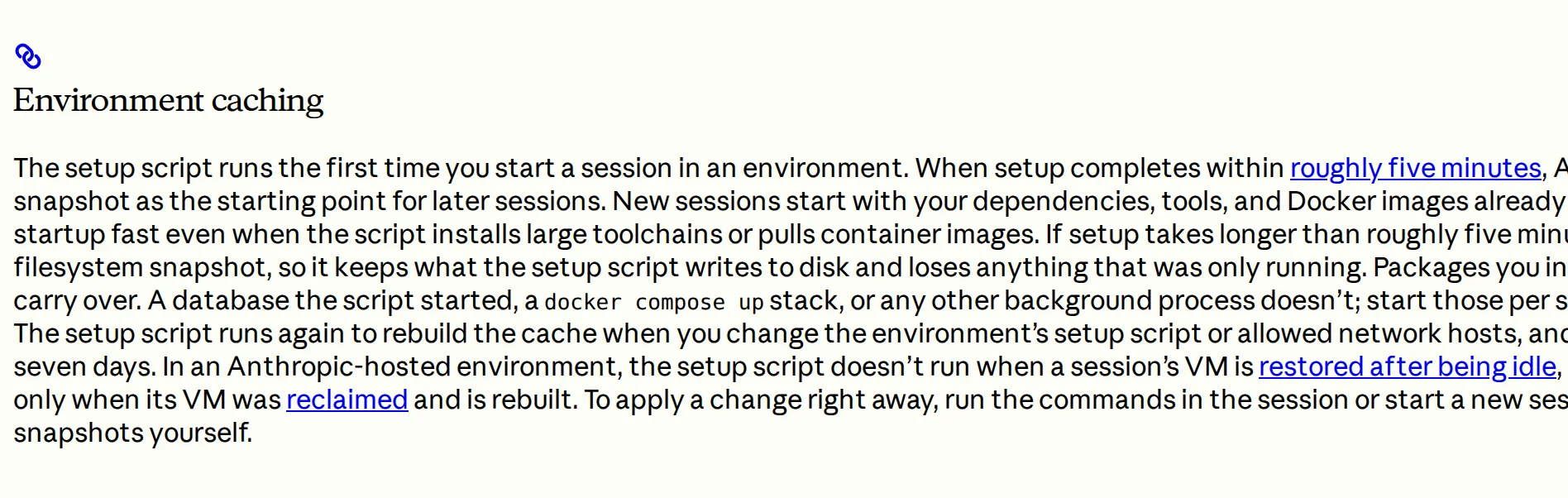
- The setup script runs the first time you start a session in an environment.
- If it completes within roughly five minutes, the filesystem is snapshotted and reused as the starting point for later sessions.
- The script runs again to rebuild the cache when you change the setup script or the allowed network hosts, and when the cache reaches its expiry after roughly seven days.
| What your script did | Kept in the cache? |
|---|---|
| Installed packages (npm, pip, apt) | Yes |
Pulled Docker images (docker compose pull) | Yes |
| Wrote files | Yes |
Started a database or docker compose up | No, only files are snapshotted |
| Took longer than about five minutes | Not cached at all |
The last row catches people out. A setup script that runs over about five minutes is not just slow once; it is never cached, so every session pays for it. The docs suggest running independent installs in parallel with & and wait.
Running services belong in a SessionStart hook, which runs after Claude Code launches, on every session including resumed ones. One caveat from the docs: a session with several repositories does not load hooks from any repository's .claude/settings.json, so use the setup script there. The setup script is for files; the hook is for processes.
Network access: three levels
| Level | Outbound access |
|---|---|
| None | Nothing through the session's network |
| Limited (default) | The default allowlist of package registries, GitHub and cloud SDKs while Allow package managers is checked, plus any domains you list, one per line |
| Full | Any domain |
Environments saved under the older Trusted and Custom levels keep reaching the same hosts and now open as Limited (access levels).
Change the allowed hosts and the cache rebuilds too, because the setup script may need to download different things on its next run.
Keys the session never sees
You can give a cloud session a key in two ways, and the difference matters:
- Environment variables: anyone who uses the environment can read the values.
- Network secrets: you store the key on the environment and list the hosts it is for. Anthropic's agent proxy adds the key to requests for those hosts, and the key does not appear in the session's environment variables or in any file.
So for an API key, use a network secret. One detail from the docs: setup script requests never get the secret, because the proxy connection starts after the setup script has run.
We have written before about what happens to secrets in AI prompts; a network secret is the cloud version of the same care, keeping the key out of anything the session can read.
Idle sessions
After a few minutes without activity, a session's VM pauses with its files saved. Your next message restores the same VM. That is why your work is still there when you open the laptop again, and why a paused VM you leave alone for a long time can be taken back.
Our take
Most talk about cloud sessions is about the model. In practice, setup is where people quit: the first run is slow, a service is missing, and the tool feels broken. The part we like is dull on purpose: a filesystem snapshot with clear rebuild rules (script change, host change, about seven days). Once you know those three triggers, cloud sessions stop feeling random.
Honest verdict
Good: one environment works across browser, desktop, mobile and terminal; the cache rules are documented in plain words; network secrets keep keys out of the session.
Worth knowing: setup over about five minutes is never cached, services do not survive the snapshot, and plain environment variables are readable by everyone who uses the environment.
What it means for you
- Keep the setup script under five minutes; parallelise installs.
- Put
docker compose pullin the setup script anddocker compose upin a SessionStart hook. - Store API keys as network secrets, not variables.
- Expect a slower first session after editing the script, changing hosts, or about once a week.
For the working habits that pair with a good environment, see how to use Claude like a professional.
Frequently asked questions
Does the Claude Code setup script run on every cloud session?
No. It runs the first time you start a session in an environment. If it finishes within about five minutes, Anthropic snapshots the filesystem and later sessions start from that snapshot instead of running the script again.
Why do my background services disappear in a new cloud session?
The environment cache is a filesystem snapshot. Installed packages and pulled Docker images carry over, but anything that was only running, such as a database started by the script, does not. Start services with a SessionStart hook instead.
Can Claude see my API key in a cloud session?
Not if you add it as a network secret. The agent proxy attaches the key to requests for the hosts you list, and the key does not appear in the session's environment variables or files. Plain environment variables are readable by anyone using the environment.
How long does a Claude Code cloud environment cache last?
About seven days. The cache also rebuilds sooner if you change the setup script or the allowed network hosts.
Sources
- Claude Code docs: Configure cloud environmentscode.claude.com
- Claude Code docs: Claude Code on the webcode.claude.com

Written by a software engineer and system architect with 10+ years of building production web, payment, ticketing and accounting systems in Japan and Nepal. About us